Native, not virtualized
Clones are run by Android itself, not inside Prismly, so they work like regular apps.
 Prismlyhome
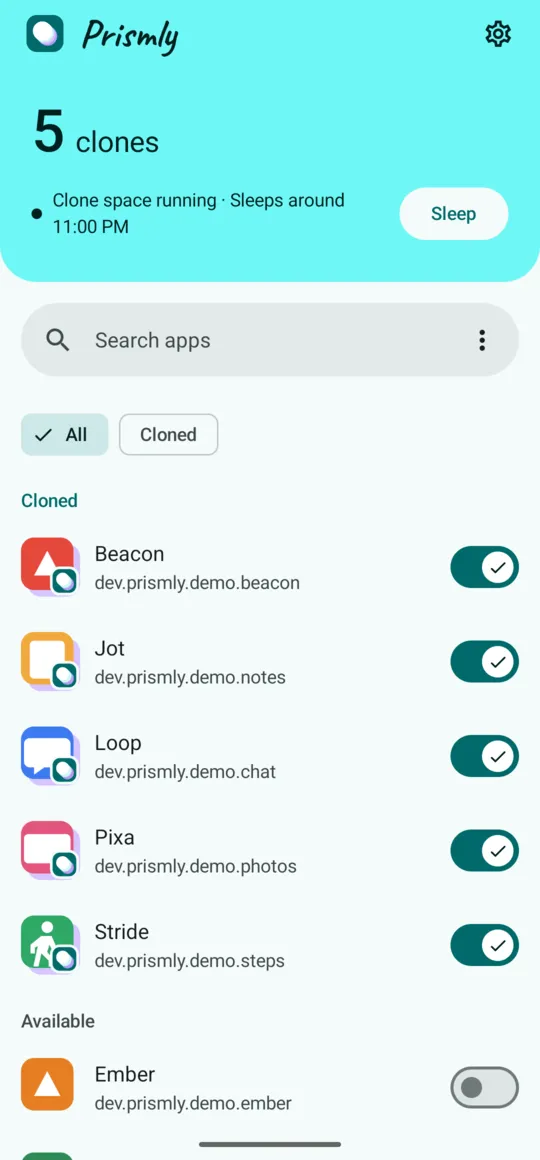
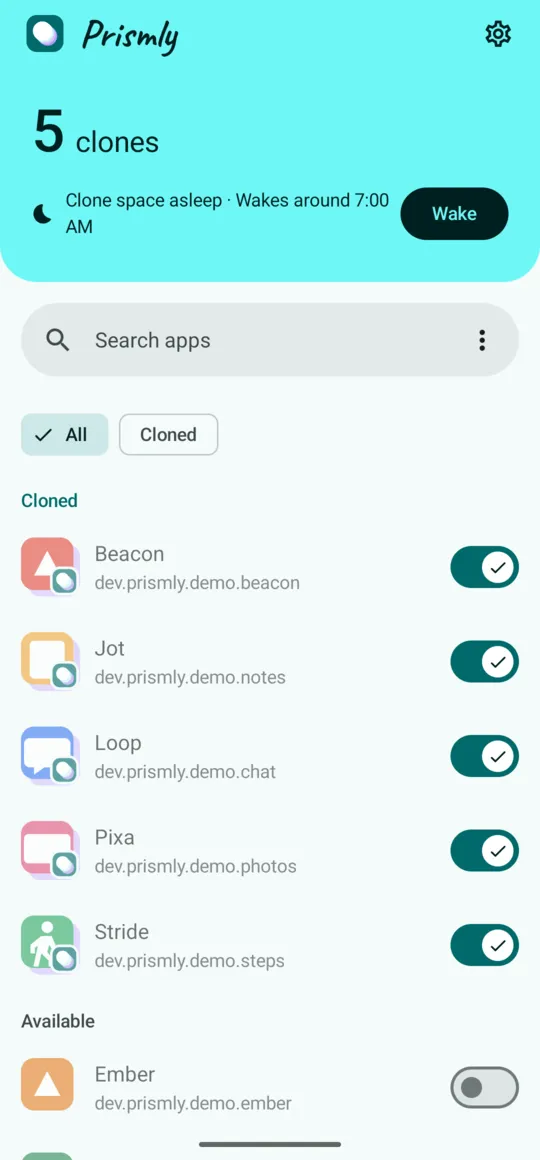
Prismly puts your apps into Android's built-in clone space, so your work and personal accounts can stay signed in at the same time.
Free download · Requires Android 14+ and Shizuku
Prismly only puts apps into the clone space, helps you find them, and tells you clearly before anything is deleted.
Clones are run by Android itself, not inside Prismly, so they work like regular apps.
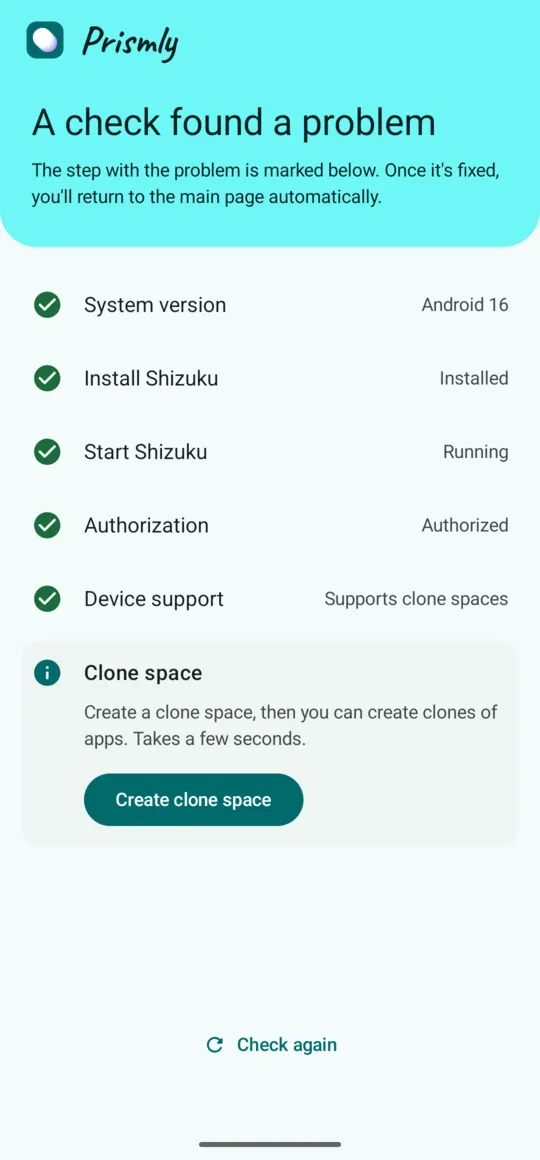
On first launch, Prismly checks your Android version, Shizuku and clone space support. If your phone isn't supported, it tells you why and changes nothing.
Many launchers hide clones from the app list. Prismly helps you put them on your home screen, one tap away.
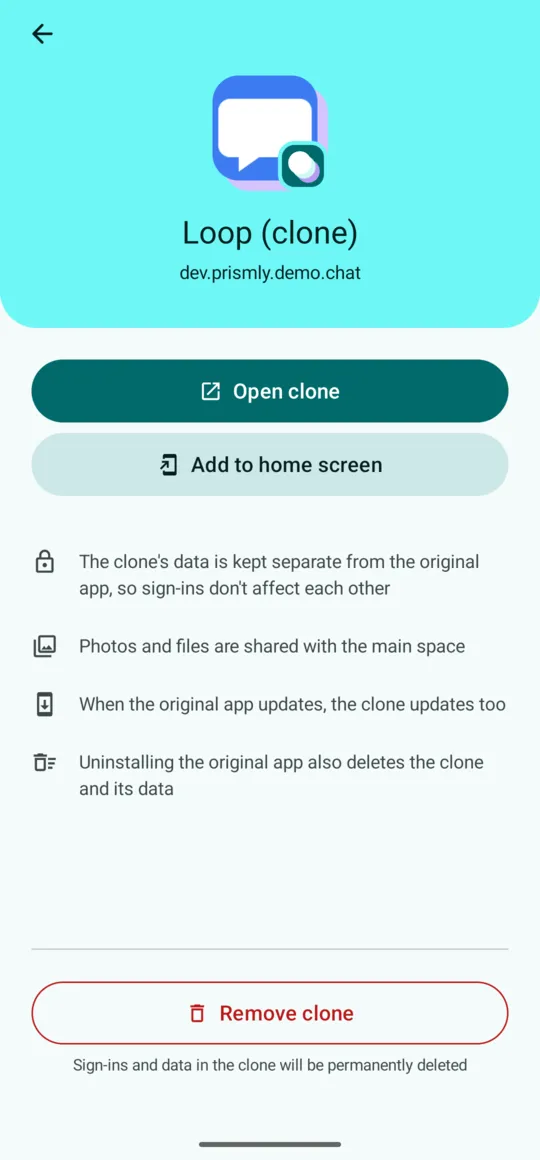
Removing a clone or the clone space always asks first and lists what will be deleted. Prismly also tells you that uninstalling the original app deletes its clone.
Stop all clones with one tap, or on a schedule. Your second account stays quiet and stops running in the background.
Sleep and wake from Quick Settings; keep your most-used clones in a home screen widget.
We'll keep adding new Pro features, and Pro owners get them at no extra cost. Pro already includes asking whether to clone newly installed apps. Missing something? Write to us.
No ads, no account. Anonymous usage statistics and crash reports are off unless you turn them on. See the privacy policy.
On Android there are three common ways to sign in to two accounts of the same app. Prismly uses the last one.
| The phone's built-in dual apps feature | Virtualizing app cloners | Prismly | |
|---|---|---|---|
| What runs the clone | Android | A virtual environment inside the cloner app | Android (its built-in clone space) |
| Which apps can be cloned | Usually only apps the phone maker lists | Apps that can be installed into the cloner | Any installed app (a few apps refuse on their own) |
| Compatibility | Same as regular apps | Depends on the virtual environment; some apps may not work properly | Same as regular apps; some apps, such as banking apps, may refuse to run |
| What you need | A phone that has this feature | The cloner app | Android 14 or later, with Shizuku installed and running |
If your phone's built-in dual apps feature already supports the app you need, it's the easiest option. Consider Prismly when your phone doesn't have that feature, or it doesn't support the app you need.
Shizuku is a tool that gives Prismly system permissions. No root needed; it starts over Wireless debugging.
It runs the checks, creates the clone space, and lets you try it with one app.
It appears on your home screen next to the original, signed in to a different account.
Make sure your phone works before you pay: the checks, the trial run and your first clone are free.
The price is shown by Google Play for your region. Your purchase is tied to your Google account and restores automatically on a new phone or after reinstalling.
These limits come from Android itself, and not every phone is a good fit. Check them before you pay; Prismly also runs these checks on first launch.